Lista Recurring Events takes a radically simple approach
Create a single event post and the plugin generates all upcoming occurrences virtually. No cluttered dashboard. No duplicate posts. No maintenance. Supports multiple post types.

Display recurring events beautifully in Bricks Builder or Elementor. No duplicate posts. No complex calendar plugins. Just smart, lightweight recurrence logic that works with your existing setup.
Supported:


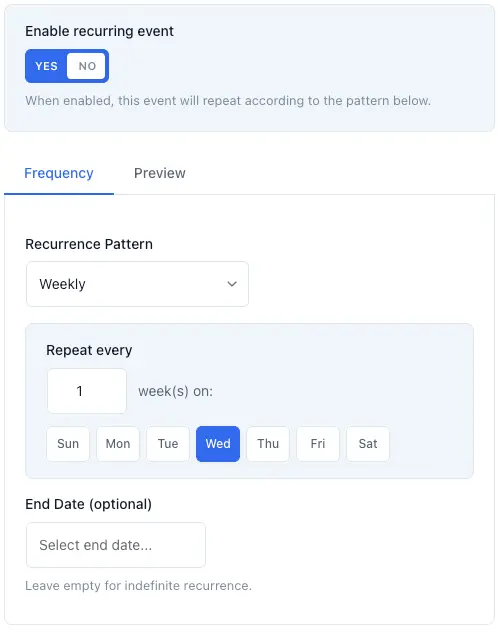

Create a single event post and the plugin generates all upcoming occurrences virtually. No cluttered dashboard. No duplicate posts. No maintenance. Supports multiple post types.
Set your rule - weekly, monthly, multi-day, custom intervals - and you're done. The plugin calculates every future date automatically with zero database bloat and zero slowdown.
Seamlessly integrate with Bricks Builder and Elementor Pro. Use your existing templates, loops, and styling. Keep your full design control while the plugin handles the scheduling logic behind the scenes.
Whether you use ACF, JetEngine, ACPT, Pods, or standard WordPress post meta, Lista Recurring Events works with them all. Just tell the plugin which field holds your event date, and it handles the rest - no lock-ins, no required field groups, no complex setup.




Lifetime updates / All future core plugin features included
Save 30%
$49$34.30AUD
Converts to approx. USD$23.00
Pay once - get lifetime updates
Activate your license on up to 3 websites.
Save 30%
$89$62.30AUD
Converts to approx. USD$40.00
Pay once - get lifetime updates
Activate your license on up to 50 websites.
Save 30%
$129$90.30AUD
Converts to approx. USD$60.00
Pay once - get lifetime updates
Activate your license on up to 500 websites.
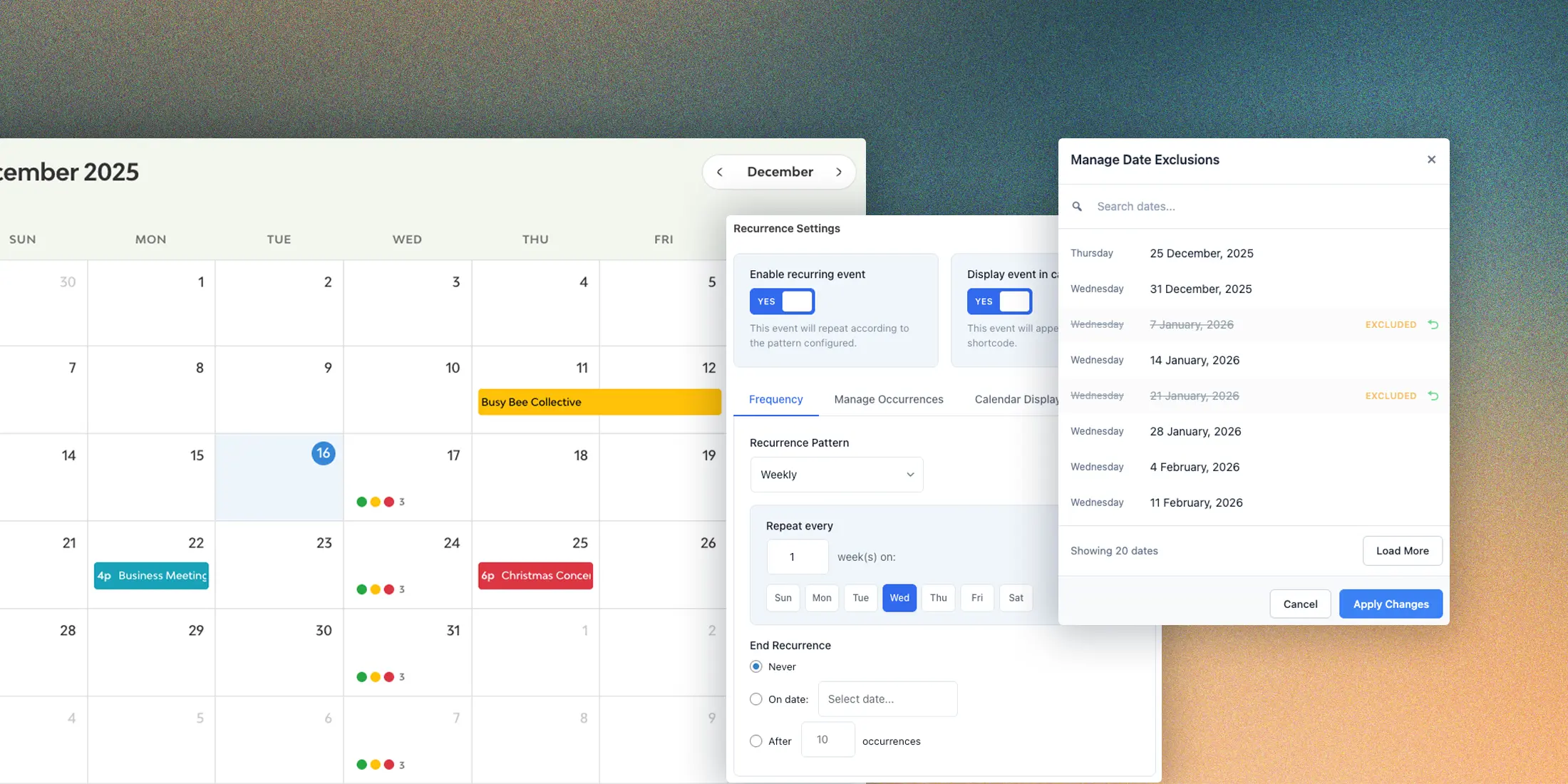
Daily, weekly, monthly, yearly – or completely custom dates. Set events to repeat every 2nd Tuesday, the first Monday of each month, or specific dates you choose. The intuitive admin interface makes complex patterns simple.
Daily intervals (every day, every 3 days, etc.)
Weekly on specific days (Mon, Wed, Fri)
Monthly by weekday (2nd Tuesday of each month)
Monthly by date (15th of every month)
Yearly anniversaries
Custom date picker for irregular schedules
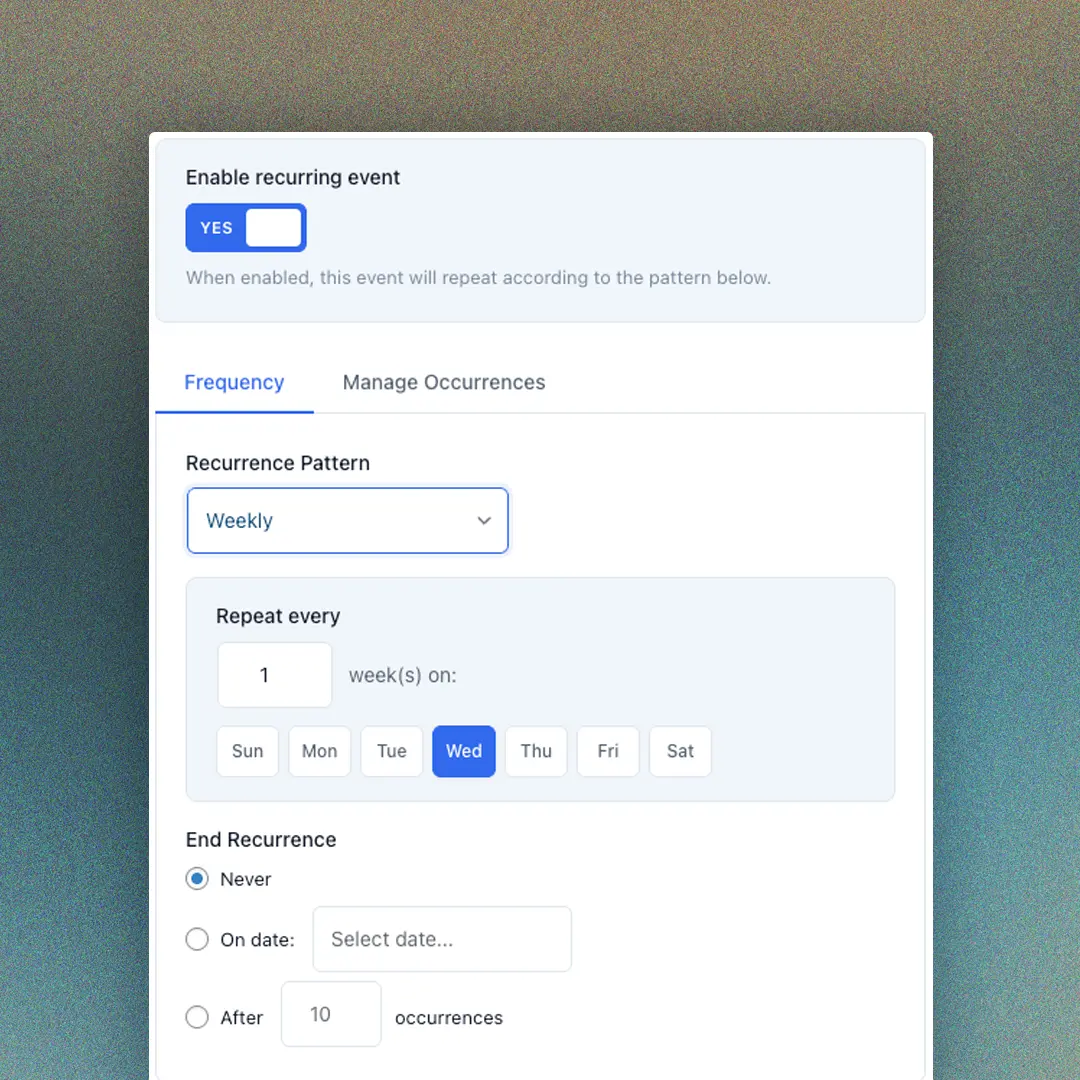
Lista Recurring Events lets you override any field for specific occurrences – change the instructor for next Tuesday’s class, update the location for a special session, or swap the featured image for a holiday edition.
Set it once, display it everywhere. Override values flow automatically through your templates using dynamic tags in Bricks or shortcodes in Elementor. When visitors click through to an event, the URL carries the occurrence context so single templates show the right details.
Override any ACF, JetEngine, Meta Box, or Pods field
Per-occurrence featured images
Automatic field detection from your post type
Dynamic tags:
Shortcodes: [lre_field name="field_name"]
Context-aware single event templates
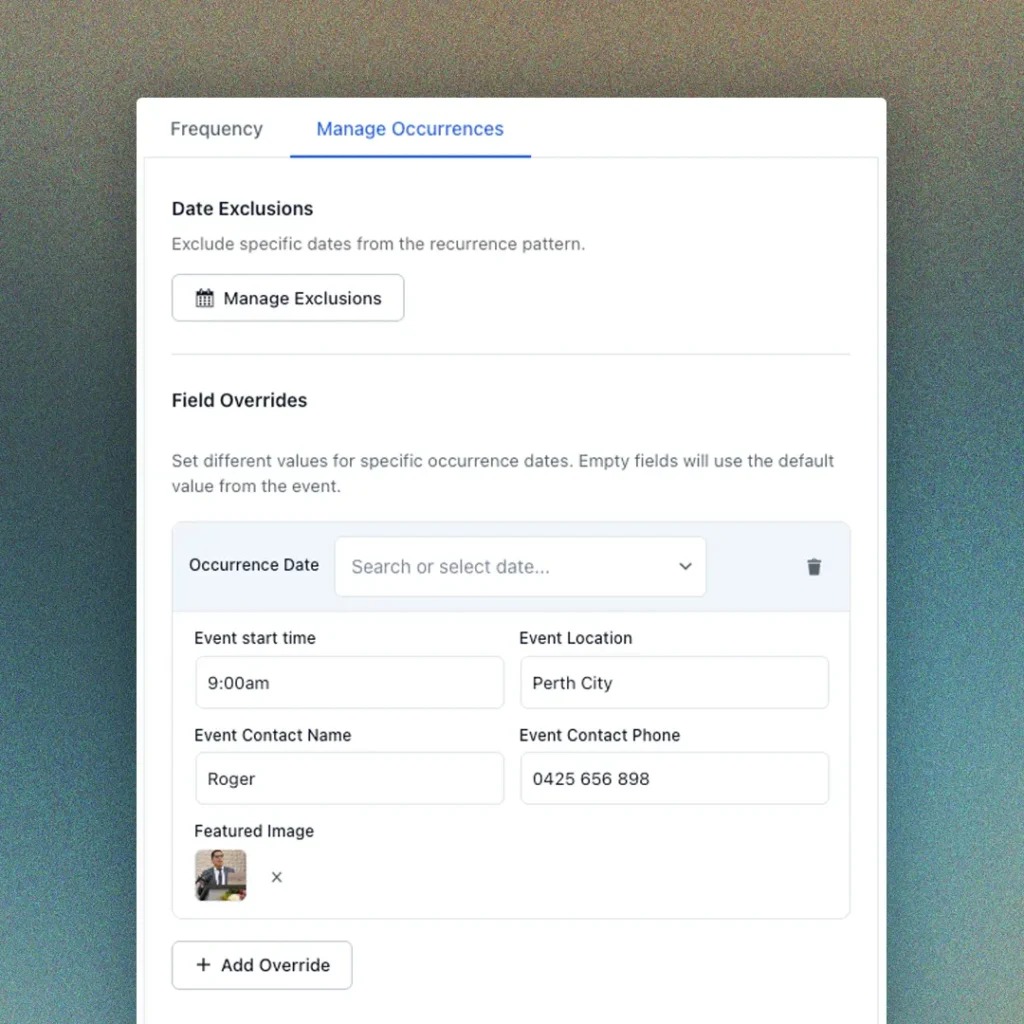
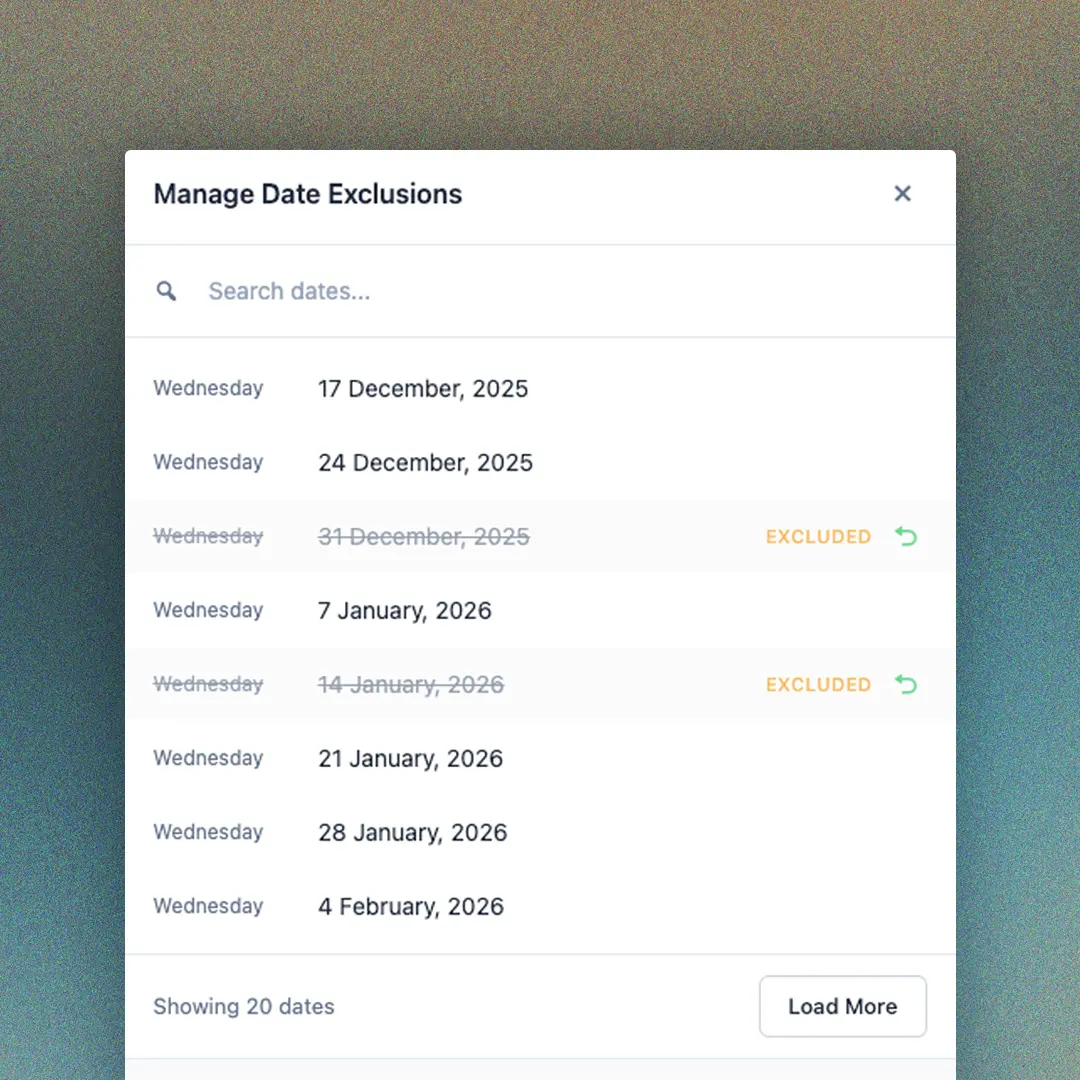
Holidays, closures, one-off cancellations – life happens. The exclusions feature lets you remove specific dates from any recurrence pattern while keeping the rest of your schedule intact. No need to delete and recreate events.
Exclude individual dates from any recurrence pattern
Searchable modal for quick date selection
Visual summary of all excluded dates
Add or remove exclusions anytime without affecting other occurrences
Perfect for holidays, staff leave, or venue unavailability
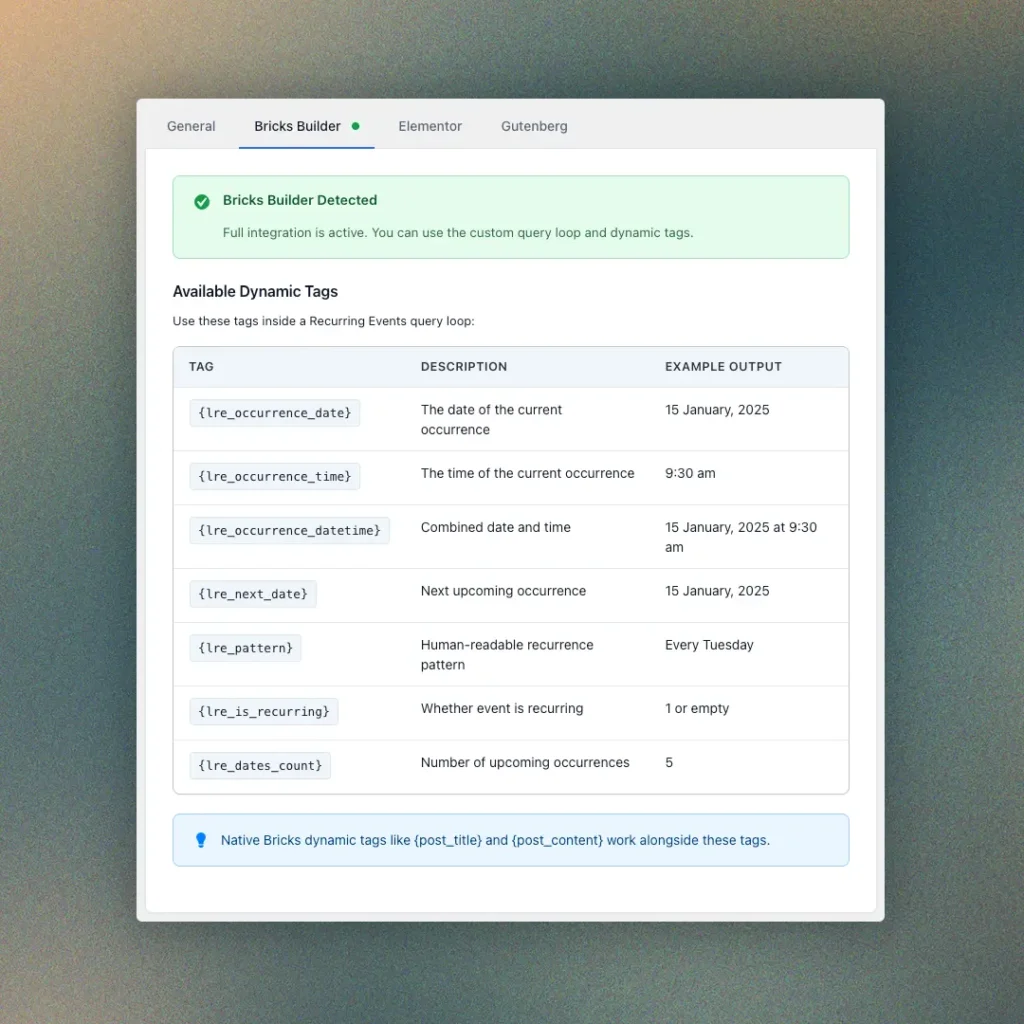
Stop fighting your page builder. Lista Recurring Events adds a dedicated “Recurring Events” query type directly into Bricks. Build your event listings exactly how you want – with full access to occurrence-specific data.
Using Elementor? Lista Recurring Events integrates seamlessly with a custom Loop Grid. Configure your query settings in the plugin, and let the magic happen.
Custom query loop type in Bricks
Dynamic data tags for dates, times, and patterns
Show multiple occurrences per event
Works with any Bricks template
Works with Elementor (free version)
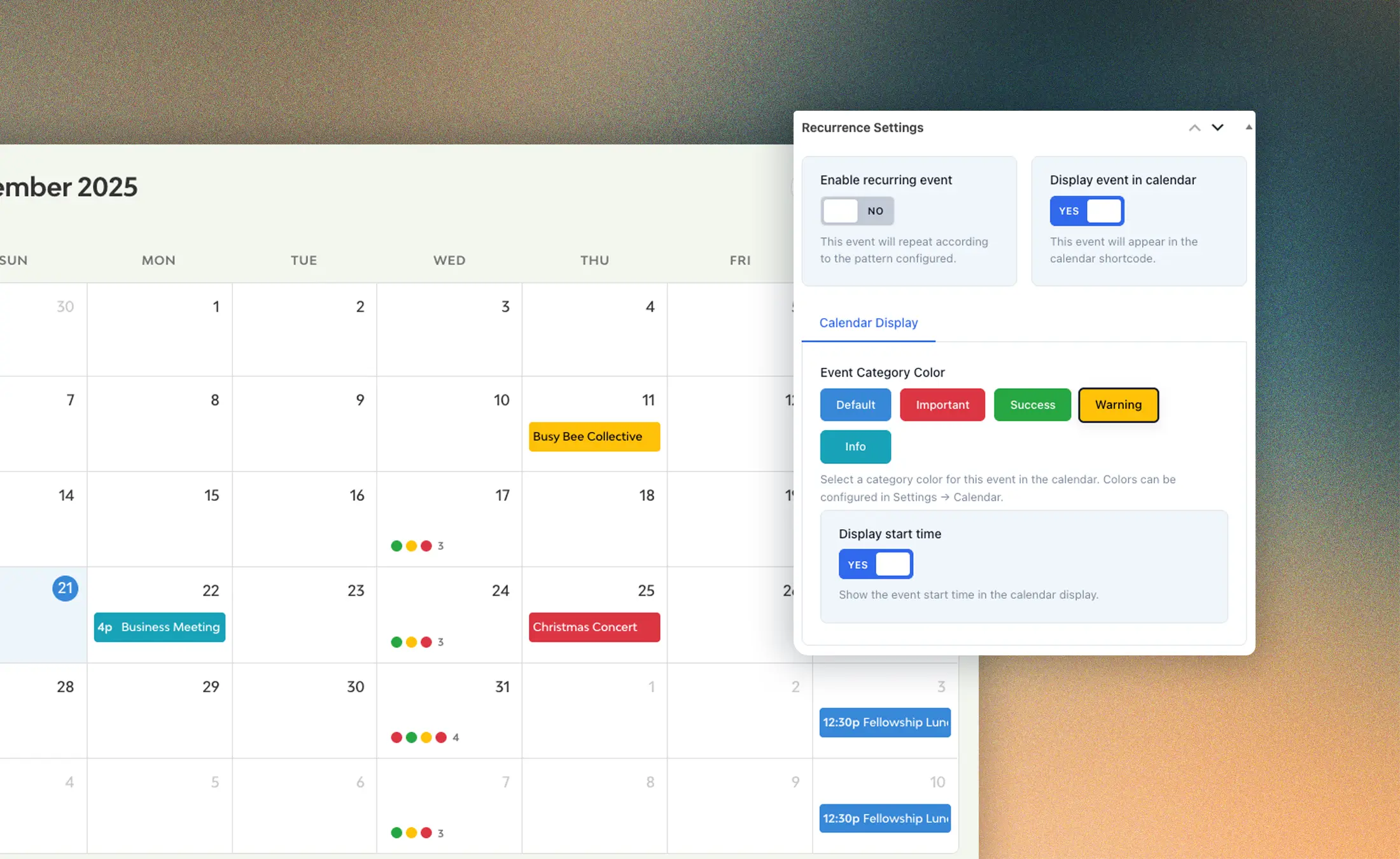
The calendar is responsive, and optinally shows an off-canvas element with more information about the event.
Lifetime updates / All future core plugin features included
Save 30%
$49$34.30AUD
Converts to approx. USD$23.00
Pay once - get lifetime updates
Activate your license on up to 3 websites.
Save 30%
$89$62.30AUD
Converts to approx. USD$40.00
Pay once - get lifetime updates
Activate your license on up to 50 websites.
Save 30%
$129$90.30AUD
Converts to approx. USD$60.00
Pay once - get lifetime updates
Activate your license on up to 500 websites.
Yes, the only difference is the number of activations you can use with your license. All features of the core plugin are included, regardless of license type.
Add-ons are intentionally kept separate because not everyone needs the same functionality, and keeping the core plugin modular allows us to scale and maintain it without unnecessary bloat. For example, we’re currently developing a ticket-selling add-on for FluentCart, but most users aren’t using FluentCart, so including that functionality in the core plugin wouldn’t make sense. Other users may prefer SureCart or WooCommerce, which is why those integrations will be released as optional add-ons when available, rather than forcing a one-size-fits-all solution.
The Bricks integration works with any version of Bricks Builder. For Elementor, you need you can use the dedicated widgets for the Loop Grid feature, and short shortcodes supplied – no Elementor Pro required.
Yes! The plugin reads from your existing date fields. Just configure which field to use in settings as the start date, and your current events will work immediately. You can also configure the plugin to work with multiple post types (such as events and classes).
No. That’s the whole point. One post = one event, no matter how many times it repeats. All occurrences are calculated dynamically.
Absolutely. You have the ability to reschedule any of your event occurrences and also override any custom fields you choose for the occurrence.
They’re automatically filtered out by default. You can disable this if needed, but most users want to show only upcoming dates.
Any purchase of the Lista Recurring Events plugin is eligible for a refund within 15 days of purchase if the plugin is not functioning as described and you have contacted our support via support@listapage.au and we are unable to resolve the issue; please note that refunds are not provided for change of mind, feature misunderstandings, or any requests outside these conditions.
You’ll get support for all core features of the plugin. Because this plugin is priced at “premium pastry level,” 🥐 support doesn’t include custom development, integration work or training on how to use the plugin – but I can quote those separately if you ever need them. Support is provided via email only, with responses typically within 24 hours (business days). If troubleshooting requires deeper investigation, you must agree to provide hosting and website login credentials upon request so I can resolve the issue efficiently.
Yes, you can read detailed documentation of Lista Recurring Events plugin on our dedicated documentation page.